

AI-Powered
Load Testing
Platform
4.8
Join thousands of companies of all sizes that use
PFLB load testing software
to deliver
highly scalable applications.
4.8
Trusted by Leading Companies













Who Choose
PFLB?
Our performance testing tool helps professionals across roles ensure peak performance and system reliability.

Performance
Engineers
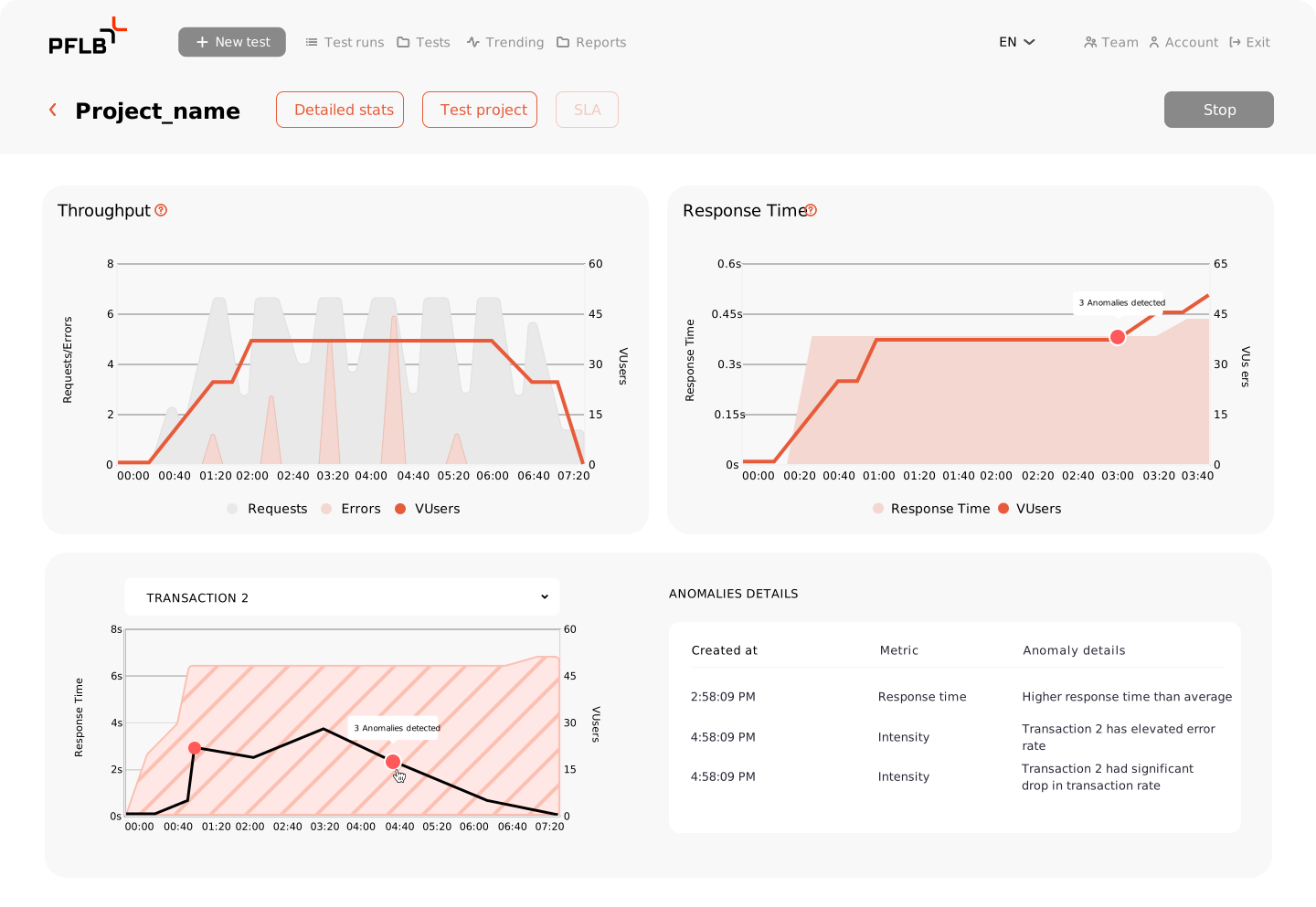
Enjoy modern load testing with cloud execution and AI-powered insights

DevOps & SREs
Ensure SLOs and catch performance issues early by testing in CI/CD

eCommerce Teams
Validate site and API performance before high-traffic events like NFL ads or Black Friday

Enterprise IT System
Managers
Minimize risks during IT system releases and change management events.

QA Engineers
Build load tests without code. Reuse Postman collections and run at scale—no infra or scripting required

Product Leaders
Benchmark against competitors or targets with independent, third-party testing
Your Load
Testing Evolves
We build a professional tool for performance engineers focused on saving time and simplifying complex tasks throughout the process, from defining a strategy to presenting load testing results to executives and optimizing applications.
Start Testing NowWe build a professional tool for performance engineers focused on saving time and simplifying complex tasks throughout the process, from defining a strategy to presenting load testing results to executives and optimizing applications.
Test Smarter
with Cloud Power
Save months on setting up and maintaining load testing infrastructure. Easily simulate a realistic load from over 20 global locations. Start from scratch or migrate your existing JMeter tests to PFLB with ease.
Start with Web Load TestingSave months on setting up and maintaining load testing infrastructure. Easily simulate a realistic load from over 20 global locations. Start from scratch or migrate your existing JMeter tests to PFLB with ease.
Generate Load
Testing Reports with AI
Skip hours of manual analysis. PFLB’s AI Report Writer translates raw performance results into clear, structured insights — instantly
View Sample AI-ReportSkip hours of manual analysis. PFLB’s AI Report Writer translates raw performance results into clear, structured insights — instantly
Repeat Load Testing
Continuously
Configure the PFLB API to run load tests directly from your CI/CD pipeline, enabling continuous performance testing.
Start Testing NowConfigure the PFLB API to run load tests directly from your CI/CD pipeline, enabling continuous performance testing.
- See also:
- PFLB Rest API documentaion
Integrations with your
favourite tools

-
Postman, Insomnia, JMeter

Easy migration of existing test scenarios.
-
Grafana

Clear and actionable test reports.
-
Google Analytics

Use real user data for precise load profiles.
Utilize Our
Professional Services
If you’d like to use PFLB for your business but don’t have performance testers on staff, no problem. Our professional services team is here to help.
Case Study
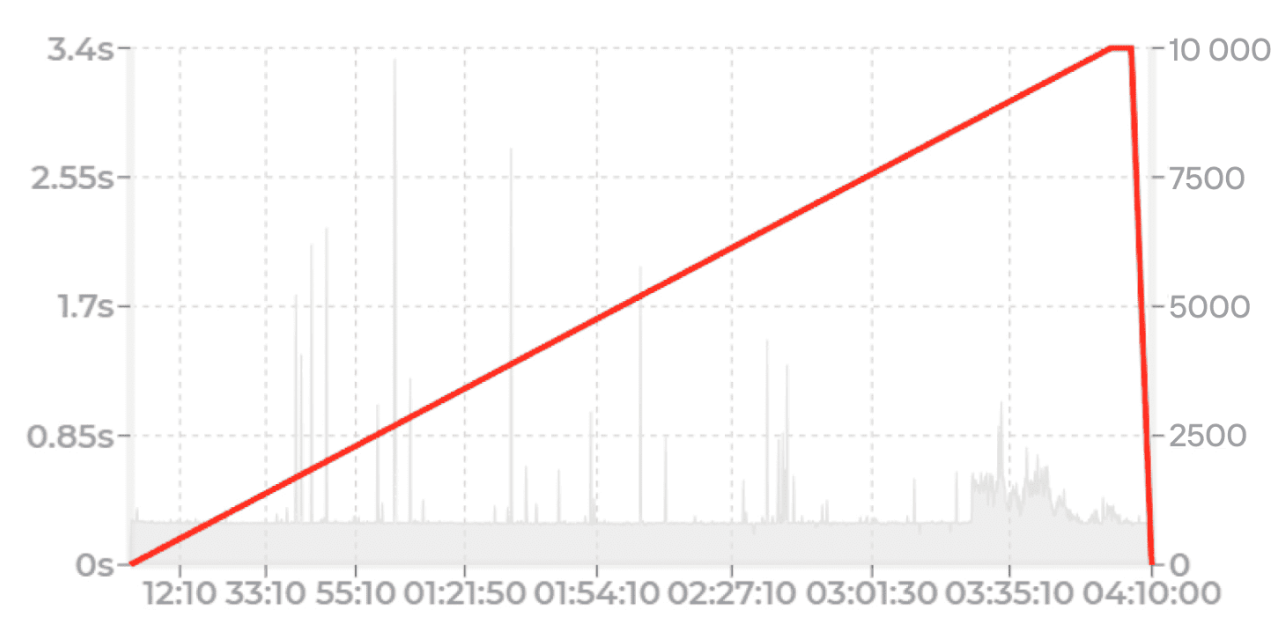
Ensuring a Storm Center Outage Map Software is Ready for Texan Storms
Learn how the largest electric power distribution company in the U.S. prepared for weather-related outages with load testing. They simulated 150,000 visitors on their website, reporting outages and checking real-time status updates.
Read full case-
See also:
- Express Load Testing
- Data Masking
PFLB Client’s Review
-
Rating: 5 out of 5 stars 


-
Rating: 5 out of 5 stars
-
Rating: 5 out of 5 stars
-
Rating: 5 out of 5 stars
Why Choose PFLB?
With our highly scalable cloud load testing infrastructure and AI-driven performance insights, we also offer additional features to ensure your users have an exceptional experience.

Detailed Documentation
We provide step-by-step guides to help you navigate and make the most out of our platform effortlessly.

User-Friendly
Our platform is intuitive and easy to set up, letting you focus on enhancing performance without hassle.

Comprehensive Support
Our dedicated team is with you every step of the way, offering help with setup, troubleshooting, and optimization. Reach out to us anytime at support@pflb.us
-
Detailed Documentation
We provide step-by-step guides to help you navigate and make the most out of our platform effortlessly.
-
User-Friendly
Our platform is intuitive and easy to set up, letting you focus on enhancing performance without hassle.
-
Comprehensive Support
Our dedicated team is with you every step of the way, offering help with setup, troubleshooting, and optimization. Reach out to us anytime at support@pflb.us
Transparent Pricing for All Needs
-
 Guarantee
Kickstart Month
Guided first-test, guaranteed
$299 / one time
$299 becomes VUh/AI credits if you subscribe within 7 days after onboarding.
Start KickstartWhat you will get
- Live onboarding, 30 minutes
- 1 seat for 30 days
- 50 VUh
-
1 AI report credit (shareable
web page) - Guarantee: runnable test + AI report in 30 days or full refund
-

Team Starter
Monthly readiness for small teams
$149 / seat / month
Save 15% with an annual plan
Choose StarterWhat you will get
- 1,500 VUh
- 3 AI report credits
- Data retention: 30 days
- Overages: $12 per 100 VUh;
$29 per AI report
-
 Most Popular
Growth
Multi‑flow testing each sprint
$249 / seat / month
Save 15% with an annual plan
Choose GrowthWhat you will get
- 3,500 VUh
- 10 AI report credits
- Data retention: 90 days
- Overages: $9 per 100 VUh;
$19 per AI report
-
Scale
Heavy usage, frequent re‑tests
$3999 / seat / month
Save 15% with an annual plan
Choose ScaleWhat you will get
- 7,000 VUh
- 25 AI report credits
- Data retention: 180 days
- Overages: $7 per 100 VUh;
$12 per AI report
Need something custom?
Talk to us
Ready to
Get
Started?
Create an account instantly to get started, or contact us to design a custom package for your business.
Frequently Asked
Questions
What Types of Website Load Testing Does PFLB Support?
PFLB supports a variety of website load testing types to help you comprehensively assess your site’s performance under different conditions:
- Stable Load Testing: This test maintains a consistent number of virtual users (VUs) throughout the testing period, allowing you to evaluate how your website performs under a steady load.
- Scalability (Ramp-Up) Load Testing: In this test, the number of VUs gradually increases over time, helping you understand how your website scales as traffic grows and identifying at what point performance begins to degrade.
- Spike Load Testing: This test introduces sudden spikes in traffic to see how your website handles abrupt increases in load, which is crucial for understanding performance during unexpected traffic surges.
- Stress Testing: PFLB can push your website to its limits by increasing the load beyond normal operational capacity. This helps you identify the maximum load your site can handle before it starts to fail or degrade significantly.
- Custom Load Testing: PFLB allows you to create highly customized load testing scenarios tailored to your specific needs, combining different types of load patterns and virtual user behaviors.
These diverse testing options provide you with a comprehensive understanding of your website’s performance, ensuring it’s well-prepared for real-world traffic conditions.
Can I Run My Existing JMeter Load Tests on PFLB’s Cloud?
Yes, you can easily run your existing JMeter load tests on PFLB’s cloud. Simply upload your JMX files to PFLB, configure the test settings as needed, and execute the test across our distributed cloud infrastructure. This enables you to run large-scale tests without the need for extensive local resources, providing you with detailed insights into your website’s performance under various load conditions.
How Do I Load Test My Website?
To load test your website with PFLB, follow these steps:
- Sign Up or Log In: Begin by signing up for an account or logging into your existing PFLB account.
- Choose Your Test Method: After logging in, you can either create a load test from scratch or select the “Run your own JMeter” option. If you choose to create a test from scratch, you’ll define your load testing scenarios by adding pages and specifying GET or POST requests one by one using the no-code script builder.
- Set User Load and Test Type: Determine the number of virtual users (VUs) you want to simulate during the test. Additionally, choose the type of load test you want to run—either a “stable” test to maintain a consistent number of VUs or a “scalability” test where the number of VUs gradually increases over time.
- Run the Test: Execute your test by starting it within the platform. PFLB will simulate the defined load on your website and monitor its performance under the specified conditions.
- Analyze the Results: Once the test is completed, review the performance metrics provided in the Grafana dashboards. These detailed insights will help you identify any performance bottlenecks and optimize your website for better traffic handling.
This process enables you to thoroughly evaluate your website’s readiness to handle real-world traffic loads.
Can I Simulate Traffic from Different Geo Locations?
Yes, with PFLB, you can simulate traffic from different geographical locations. This allows you to test your API’s performance and latency across various regions, ensuring it can handle global traffic efficiently. Simply configure the load generator locations within the PFLB platform to distribute the load as needed.
Didn't find the answer to your question?
Leave a request, and our managers will contact you and answer your questions.
Dive in our
knowledge base
Ready to Get
Started?
Create an account instantly to get started, or contact us to design a custom package for your business.